For QLMesh (and some other projects), I am running my own fork of Asset Import Library. The difference: it is amalgamated build - all sources are merged into one file (including dependencies). Since Assimp recently switched to miniz, I have replaced remaining references to zlib with miniz - so zlib is not required too.
drwxr-xr-x 85 piecuchp staff 2890 Jan 17 23:34 assimp -rw-r--r-- 1 piecuchp staff 4921627 Jan 17 23:34 assimp.
I am quite happy I finally had time to release a new version of QLMesh. With multitude of 3d files, having such a quick tool is always nice welcome.
But also relaying on built-in generator made the whole code simpler and cleaner - previous version had a lot of code that suppose to work only in non-sandboxed environment (like texture support in 3d view). But after AppStore release most of this code was not in use.
Current version (1.1) is using Mesa3D for offline rendering, but somehow I not happy with this solution. The new build is using OSX built-in support for COLLADA/ASE format - this much more convenience in daily use.
QLMesh can preview quite large models (probably event bigger in version 2), still there is a QuickLook memory allocation limit 120MB:
QuickLookSatellite[2904]: [QL] Using too much memory (183 MB), hit critical threshold (120 MB), exiting immediately to clean up.
generator is a nice library for procedural geometry generation available on github. One missing piece is an example how to use this code in graphics applications - here is my demo written in Qt:
You can get the code for the example from this location. I made a few small changes to the library to make it possible to compile on my Macbook - changed version (including make .pri file) can be found here if necessary.
I have collected (from different sources) several gamedev-related tools at https://github.com/ppiecuch/gamedevtools. Plus preparing a Qt-based examples for these.
I have extracted some code from Rockete editor to create a separate, small RML viewer. Easy to start with command line, auto file reloading, easy screen resizing.
Initial build: Current status: With new options in toolbar:
It is possible to use Ogre3D with Qt using external window feature of Ogre, yet this very crude solution and many of the Qt’s features are omitted. I am working currently on better integration Qt with Ogre3D:
using Qt’s resource system using QOpenGLContext and QWindow for rendering using QImage for texture loading using qmake only for building Seems like all the pieces are in place (application and resources are all prepared) but so far the window is broken.
I am working on new version of the application. This time I want to make it as cross-platform as possible: I am using Qt for Windowing, Input management and Resource handling. Much more elements and new assembler-based core should really make a difference.
Finally I was able to run my simple debug layer based on old text gui - simple and efficient. You have windowing system, easy drawing, capturing etc.
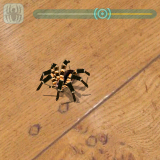
I used to implement a few applications with nature/foliage simulations: for water, grass and for spider/ants animations. Some time ago I compiled it into one iOS application:
I am working on porting this to Qt and release the sources some day.



Comments